Home · Compare · Rollo vs zebra
Rollo vs zebra
Buy a Rollo if you only print 4x6 postage PDFs. Buy a Zebra if the same desk also prints product barcodes, bin labels, and jobs that arrive as ZPL.
Updated October 2026. Prices and specs change. Check the maker before you buy.
Rollo vs zebra for a shipping desk
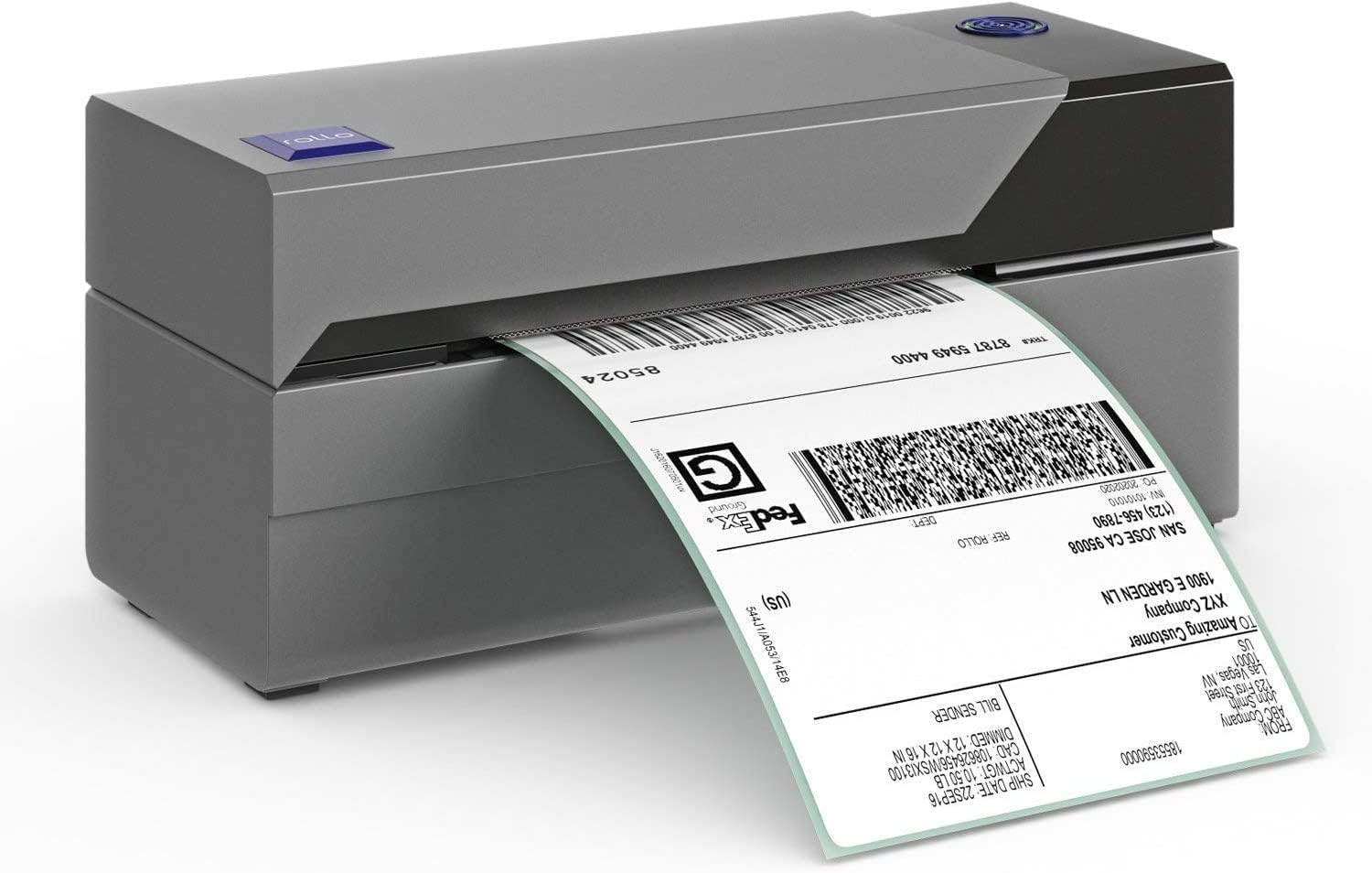
Rollo made a 4x6 shipping printer that feels like an appliance. You install a driver, you print the PDF from Pirate Ship or Shopify, and the label comes out. That is the whole product, and it is a good product. It is not a lineup of 2 inch barcode printers, industrial engines, or ZPL. People compare it with a Zebra because both sit on a packing table and both eat direct thermal 4x6.
A Zebra ZD421 or ZD420 does the postage PDF too, once the driver or Browser Print is in place. It also prints a 2x1 FNSKU, a shelf label, and a ZPL file from an old system. Parts and printheads exist because the brand has been in warehouses for years. You pay more, and you get a printer that is happy to do more than one kind of label. If you will never do more than postage, you are paying for a machine you will not use.
Side by side
| Feature | mylabelmaker | Rollo |
|---|---|---|
| Best at | 4x6 postage PDFs for a small shop. | Postage plus barcodes, bins, and ZPL on one printer. |
| Setup | A short Windows or Mac driver install. Print the PDF at actual size. | Driver or Browser Print, plus one calibration. More steps, more payoff if you print ZPL. |
| Media | 4x6 direct thermal. Check the core and the roll diameter. | 4x6 and many narrower rolls. Fanfold on printers that leave the back open. |
| ZPL | Not a ZPL printer. | Native. Paste a job in the ZPL viewer and print it. |
| Where Rollo wins | You only ship, and you want the least software. | Overkill for a few postage labels a day. |
| Where Zebra wins | A second printer, if you later need barcodes. | One printer for shipping and inventory. |
How to print on the one you buy
- Print a carrier PDF at actual size. Turn off "fit to page." A 4x6 PDF on a 4x6 roll should not be scaled.
- On a Rollo, use the Rollo driver. Design pack stickers in https://app.mylabelmaker.com only when they are your stickers, not the postage.
- On a Zebra, install Browser Print if you want to send ZPL. Postage PDFs can still go through the normal print dialog.
- Buy one small stack of labels, print a real order, then buy the case. Both brands are direct thermal. A ribbon will not help.
Postage PDF versus a second kind of label
A Rollo is bought for one file: the 4x6 PDF from Pirate Ship, Shopify, UPS, USPS, Etsy, or eBay. The Windows or Mac driver installs, you set the paper to 4 by 6 inches, you turn scaling off, and the label comes out. That is the correct setup. "Fit to page" shrinks the barcode and the carrier may reject the scan. Rotate in the browser if the PDF arrived as a portrait page with huge margins. Crop to the label. Do not redraw the postage barcode in a design tool.
The Zebra does that PDF too. The reason to pay more is the other labels on the same bench. A 2x1 FNSKU or SKU, a shelf label, a pack sticker that is yours and not the carrier's, and a .zpl file someone emailed you. Rollo has no ZPL. If a vendor says "send this to the printer," and the file starts with ^XA, the Rollo cannot print it. The ZPL viewer is for the Zebra in that case. Paste, check the layout at 203 dpi (812 by 1218 dots for a 4x6), then Browser Print.
Media is where people waste a case of labels. Both printers want direct thermal 4x6 for postage. The core diameter and the maximum roll size still have to match the manual. A roll that rubs the lid will not feed, and that looks like a software failure. Fanfold is a Zebra habit, on models that leave the back open. A Rollo is usually a roll. Buy a small pack, print a real order, then buy the case.
Choose the Rollo when every label this year is postage and you want the least to learn. Choose the Zebra when the same person prints postage in the morning and barcodes in the afternoon. Buying both is reasonable for a shop that already owns a Zebra for inventory and wants a dedicated postage printer. Buying a Zebra only to print ten Pirate Ship labels a week is paying for ZPL you will not use.
Software, which is the part people forget
The printer is a brick until software sends it a label. DYMO Connect, P-touch Editor, and a Rollo or Munbyn Windows driver all do that for their own box. A Zebra can take ZPL from an ERP, from Browser Print, or from a label you designed in the browser. If you are choosing a printer because of the software quote, price the software too. A free editor does not make a cheap printer into an industrial one, and an expensive printer does not need BarTender for a 4x6 pack face.
Postage is separate. Pirate Ship, Shopify, the carrier, and Vinted give you the postage PDF. You fit that PDF to 4x6. You do not redraw the barcode. Pack stickers, SKUs, and bin labels are the jobs you design here.
Questions
Is Rollo or Zebra better for 4x6 shipping?
Rollo is the simpler buy when every label is a postage PDF. Zebra is the better buy when you also print barcodes and ZPL.
Can a Rollo print ZPL?
No. ZPL is a Zebra language. A Rollo prints from the computer's print dialog.
Can both use the same 4x6 labels?
Often, if the width, core, and roll diameter match. Read the printer's media spec before you share a case of labels.
BarTender Labelary DYMO vs Zebra Brother vs Zebra Rollo sizes
Design it in the label maker.
When to choose a Rollo
Choose a Rollo when you want a simple 4 x 6 USB printer and you will print from the computer dialog. Choose a Zebra when you need to send ZPL. Checked: October 2026.
The pack face, still without postage, is the 4x6 shipping label maker.