Home · Compare · Brother vs zebra
Brother vs zebra
Buy a Brother QL if you print DK address labels, badges, and the odd shipping label on a QL-1100. Buy a Zebra if the bench prints 4x6 all afternoon.
Updated October 2026. Prices and specs change. Check the maker before you buy.
Brother vs zebra for a shipping desk
Brother QL printers use DK rolls: DK-1201 for a small address, DK-1202 for a larger one, DK-2205 if you want continuous 62 mm tape, and DK-1241 if you have a QL-1100 or QL-1110 and you want 4x6. P-touch Editor is the installed app. It is good at cable flags and laminated TZe tape, which a Zebra does not do. DK labels cost more per label than a generic 4x6 stack once you are printing postage all day.
A Zebra wins on a shipping bench because the media is cheap and the printer is meant to run. 203 dpi is enough for a shipping barcode. 300 dpi is the step up for smaller text. ZPL lets another system print without Brother's driver. For an office that mostly makes name badges and file labels, that is the wrong machine. You would be buying speed you will not use.
Side by side
| Feature | mylabelmaker | Brother |
|---|---|---|
| Best at | DK address labels, badges, continuous tape, a small shipping roll on QL-1100. | High-volume 4x6, warehouse barcodes, ZPL from another system. |
| Speed and duty | Fine for an office. A QL-1100 can ship, but it is not a pack-station workhorse. | Desktop and industrial models are built for a shift of labels. |
| Label cost | DK part numbers. Convenient, and pricey in volume. | Generic direct thermal 4x6 and fanfold, if the core fits. |
| Software | P-touch Editor, or a browser editor that knows the DK size. | Browser Print and ZPL. No P-touch install. |
| Where Brother wins | Die-cut DK labels, laminated tape, a quiet desk. | Not the right first printer for those jobs. |
| Where Zebra wins | A QL-1100 is enough if 4x6 volume stays modest. | Daily shipping, mixed sizes, and code you already store as ZPL. |
How to print on the one you buy
- On a Brother, match the DK number. DK-1201 is 29 x 90 mm. DK-1241 is the 4x6 roll for QL-1100. Open Brother labels and print from this computer.
- Leave cable flags and TZe tape in P-touch Editor. This app does not cut a flag around a wire.
- On a Zebra, calibrate, set direct thermal, and print a 4x6 test from https://app.mylabelmaker.com before you buy a case of labels.
- If the Brother prints and the job is only slow, a Zebra is a hardware upgrade, not a software one.
Which Brother, and which label
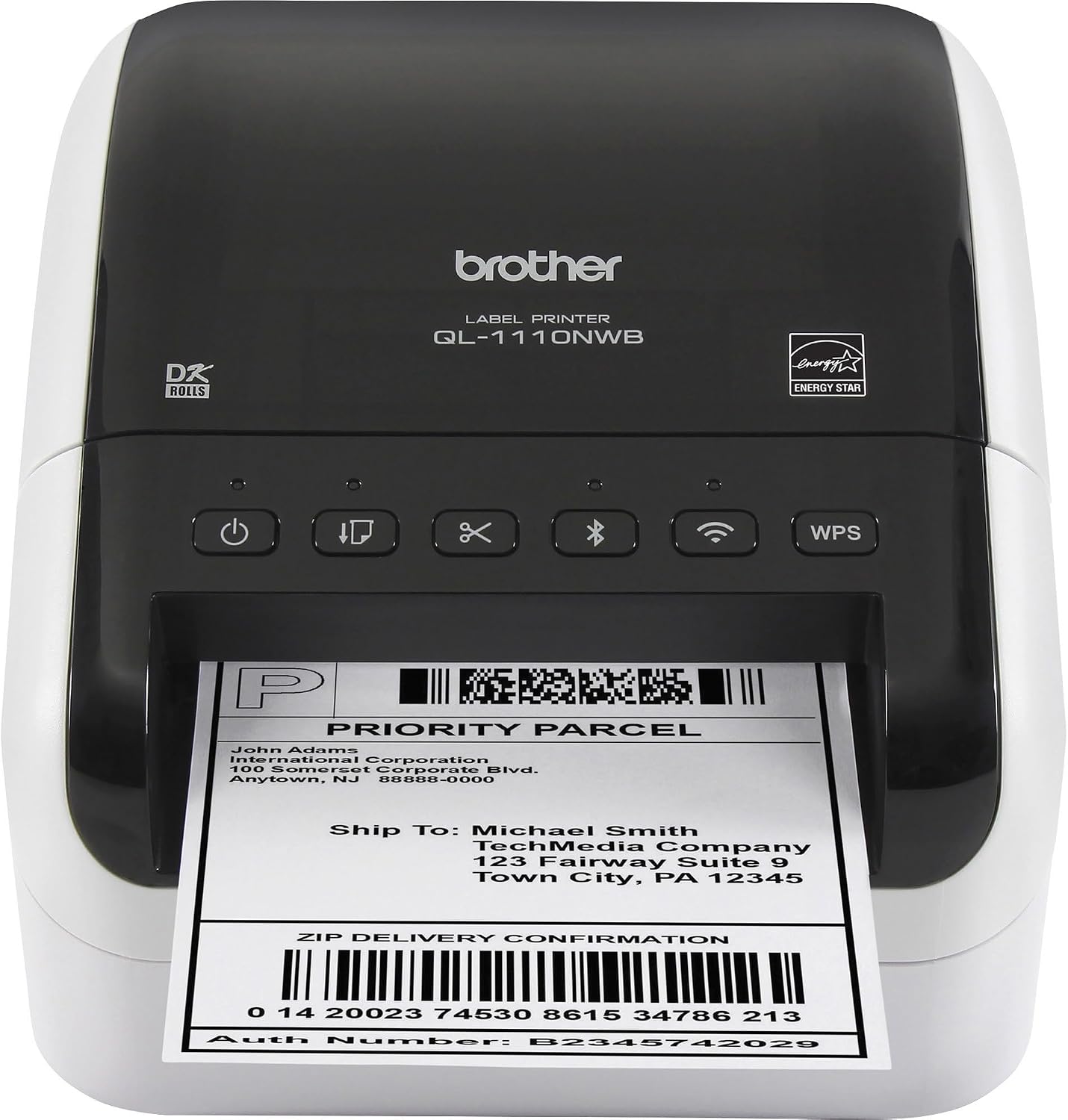
Brother's small office printers are the QL series, and the roll number matters more than the printer name. DK-1201 is a 29 by 90 mm address label for the QL-800, QL-820NWB, and QL-700. DK-1202 is 62 by 100 mm, a larger address or small shipping label. DK-2205 is continuous 62 mm tape: you set the length, which is useful for a bin label that is not a standard die cut. None of those is a 4x6 carrier label.
4x6 on Brother is DK-1241, about 102 by 152 mm, and it fits the QL-1100 and QL-1110NWB. A QL-800 will not take it. People buy the small QL, then discover the shipping label they downloaded is 4 by 6 inches. That is a hardware limit, not a driver bug. P-touch Editor is still the right app for laminated TZe tape and a cable flag that wraps a wire. This browser editor prints the DK die cuts. It does not cut a flag.
A Zebra desktop prints the same 4x6 postage PDF once the driver is set to 4 by 6 inches at 100 percent. It also prints a narrower barcode roll and a stored ZPL job. Speed is the boring part: for ten labels the Brother is fine, and for a few hundred the Zebra is the machine that was built to sit there. Label cost moves the same way. DK rolls are convenient and easy to load. A case of generic 4x6 direct thermal, on a core the Zebra accepts, is cheaper once shipping is the whole job.
On Windows 11, install Brother's driver or the Zebra driver, set the paper, and print one label onto plain receipt paper or a single label before you commit a roll. Calibrate the Zebra when you change stock. If the Brother already prints and the only complaint is speed, a new editor will not fix that. You are choosing a printer, not a website.
Software, which is the part people forget
The printer is a brick until software sends it a label. DYMO Connect, P-touch Editor, and a Rollo or Munbyn Windows driver all do that for their own box. A Zebra can take ZPL from an ERP, from Browser Print, or from a label you designed in the browser. If you are choosing a printer because of the software quote, price the software too. A free editor does not make a cheap printer into an industrial one, and an expensive printer does not need BarTender for a 4x6 pack face.
Postage is separate. Pirate Ship, Shopify, the carrier, and Vinted give you the postage PDF. You fit that PDF to 4x6. You do not redraw the barcode. Pack stickers, SKUs, and bin labels are the jobs you design here.
Questions
Is a Zebra faster than a Brother for shipping labels?
For a day of 4x6 labels, a Zebra desktop is the usual faster, cheaper-to-feed printer. A Brother QL-800 is quicker to live with for address labels.
Can I skip P-touch Editor?
For DK labels you design here, yes. Print from this computer. Keep P-touch for laminated tape and cable flags.
Which Brother prints 4x6?
QL-1100 and QL-1110NWB take DK-1241, about 102 x 152 mm. A QL-800 does not.
BarTender Labelary DYMO vs Zebra Rollo vs Zebra Brother sizes
Design it in the label maker.
When to choose a Brother
Choose a Brother QL for DK rolls, or a P-touch for tape. Choose a Zebra when the warehouse already speaks ZPL. Checked: October 2026.
The pack face, still without postage, is the 4x6 shipping label maker.