Home · Compare · Bartender alternative
Bartender alternative
You can leave BarTender for ordinary Zebra labels: a SKU, a bin face, a 4x6 pack label, a barcode from Excel. Design it in the label maker, then print. BarTender is still the better program when the job is RFID, a print server, or a factory integration.
Updated October 2026. Prices and specs change. Check the maker before you buy.
BarTender alternative, in one sitting
Seagull BarTender is the program warehouses grew up on. It designs the label, talks to the printer, and, in the bigger editions, watches a database and prints on its own. That power is why the quote shows up. If your actual Tuesday is "print these 40 SKUs on a ZD421," you do not need the quote.
mylabelmaker is a browser editor. You open it, pick the roll, type or drop a spreadsheet, and print. Zebra printers get ZPL through Browser Print, which you install once from Zebra. DYMO, Brother, Rollo, and Avery sheets print from this computer with scaling off. There is no license key to move to the next PC.
mylabelmaker and BarTender, side by side
| Feature | mylabelmaker | BarTender |
|---|---|---|
| Price | Free. No account, no ads, no Pro plan. | Paid Windows software. Higher editions are quoted. A small desk often only needed the design edition. |
| Where it runs | Chrome, Edge, or Safari on Windows and Mac. | Windows. Mac users usually keep a Windows PC or a virtual machine. |
| Zebra print | Paste ZPL or design the label and print that job with Browser Print. | Native Zebra drivers, stored formats, and printer fonts. Stronger for a fleet. |
| Excel and CSV | One checked row prints one label. No monthly cap. | Database and spreadsheet connections are a BarTender strength, especially in Automation. |
| RFID, SAP, print servers | Not this app. | This is where BarTender is the better product. Do not switch a regulated line for a browser tab. |
| Account | No signup. The label stays in this browser. | A license on the PC, and often an IT install. |
Where BarTender is the better choice
Stay on BarTender if any of these are true. You encode RFID. You run Integration Builder, a SAP handover, or a service that prints when a row lands in SQL. Security wants a logged-in designer and a separate print station. The label file is a .btw that other sites already share. Your media is a specialty stock with a printer font BarTender already measured. Switching those jobs to a website would make the line worse, not cheaper.
Also stay if IT already deployed it and the only pain is one expired PC. Reinstalling a license you own is faster than redrawing 200 formats.
Where a free editor is enough
Switch the jobs that are really "text, a barcode, and a row in Excel." Product labels, FNSKU, bin locations, pack faces that are not the carrier postage, and serial numbers. You can do those on a Mac without a Windows PC. You can do them on a packing laptop that is not allowed to install BarTender. The Excel print path is one row, one label, including a column you check.
How to move a simple label
- Open https://app.mylabelmaker.com. No signup. Pick the Zebra size that matches the roll, or start from Zebra labels.
- If BarTender can export ZPL, paste that file into the ZPL viewer and check the picture before you trust it. If it cannot, rebuild the fields. Put the name where the name was, then the barcode.
- For a list, upload Excel or CSV. The first row is the column names. Click a column onto the label. Check the rows you want. One row prints one label.
- On Windows, install Zebra Browser Print, restart the browser, and print. The printer receives ZPL. A screenshot of the preview is the wrong file to send.
- Print five labels and scan them. If the bars scan and the words fit, retire that one BarTender format. Leave the RFID and the integration jobs where they are.
What this does not do
It does not sell postage, encode RFID, open .btw files, or run a print server for a building. It does not claim to be the first label program or the one a regulated plant should standardize on. It is the free way to design a Zebra label and print it from the computer in front of you.
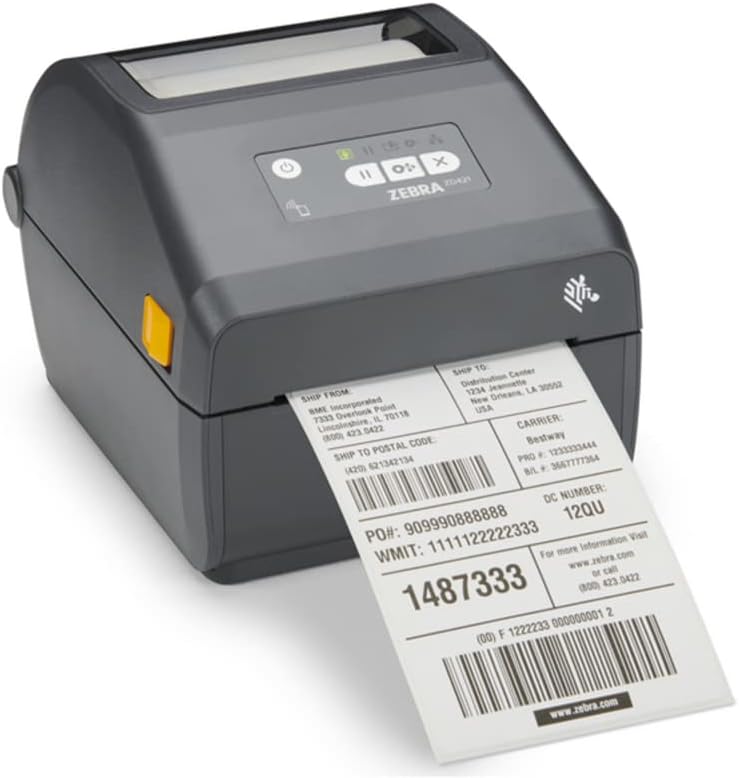
Windows 11, which is the computer in most of these searches
Install Zebra Browser Print from Zebra's site, not from a random download. Restart Edge or Chrome after the install. If the printer list stays empty, the helper is not running. The Windows driver is a separate install. Use the driver when you print a PDF or when you choose Print from this computer. Use Browser Print when the file is ZPL. Sending a screenshot of the label to the driver is how a barcode becomes a fuzzy picture that will not scan.
Set the stock before you design fifty labels. A 4x6 direct thermal roll at 203 dpi is 4 inches wide and 6 inches long, 812 by 1218 dots. A 300 dpi printhead uses 1200 by 1800 for the same physical label. If the preview looks tiny or huge, the DPI and the ^PW do not match. Calibrate with the feed button after you load a new roll. Direct thermal with no ribbon: if the printer is set to thermal transfer, it feeds blank labels and the software is not the cause.
Excel is the other half of a BarTender replacement. Put column names in row 1. One row is one label. Check the rows you want, including a column of quantities if you print several copies. You do not get BarTender's database watch, which prints a label the moment a SQL row appears. You do get the list that is already on the packing laptop, with no Access Database Engine and no license server. Print five, scan five, then print the rest.
Keep a written note of the formats you did not move: RFID, the integration, the shared .btw library. Those stay in BarTender. The formats you did move should be the ones a new hire can open in a browser without calling IT. If a format needs a printer font only BarTender measured, leave it. A free editor that almost matches a regulated label is worse than the license you already own.
Questions about a BarTender alternative
Is there a free BarTender alternative for a Zebra printer?
Yes, for a packing table. You design the label in the browser, map Excel or CSV, and print ZPL to a Zebra with Browser Print. No BarTender license.
When should I keep BarTender?
Keep it for RFID encoding, a print server, SAP or Integration Builder, label approval, and a plant that already standardized on it. This app does not replace those.
Does this open a BarTender file?
No. Rebuild the label here, or paste the ZPL if you can export it. .btw files stay in BarTender.
Do I need Windows?
BarTender is Windows software. This editor runs in the browser on Windows and Mac. The Zebra still needs Browser Print on the computer that prints.
Labelary DYMO vs Zebra Brother vs Zebra Rollo vs Zebra All comparisons
When to choose BarTender
Choose BarTender when you need RFID, a print server, or a integration your IT team already runs. Checked: October 2026. Seagull's pricing page lists on-premises Starter starting from $199 a year, Professional from $299 a year, and Automation from $575 a year. BarTender Cloud Essentials starts from $390 a year, and Cloud Automation from $1750 a year. Source: bartendersoftware.com/product/pricing. Tiers change, so read that page before you pay. A single packing table does not need that stack.