Home · Compare · Dymo vs zebra
Dymo vs zebra
Buy a DYMO if the labels are addresses, file folders, and the occasional 4x6. Buy a Zebra if 4x6 shipping is the job every day and you also print barcodes.
Updated October 2026. Prices and specs change. Check the maker before you buy.
Dymo vs zebra for a shipping desk
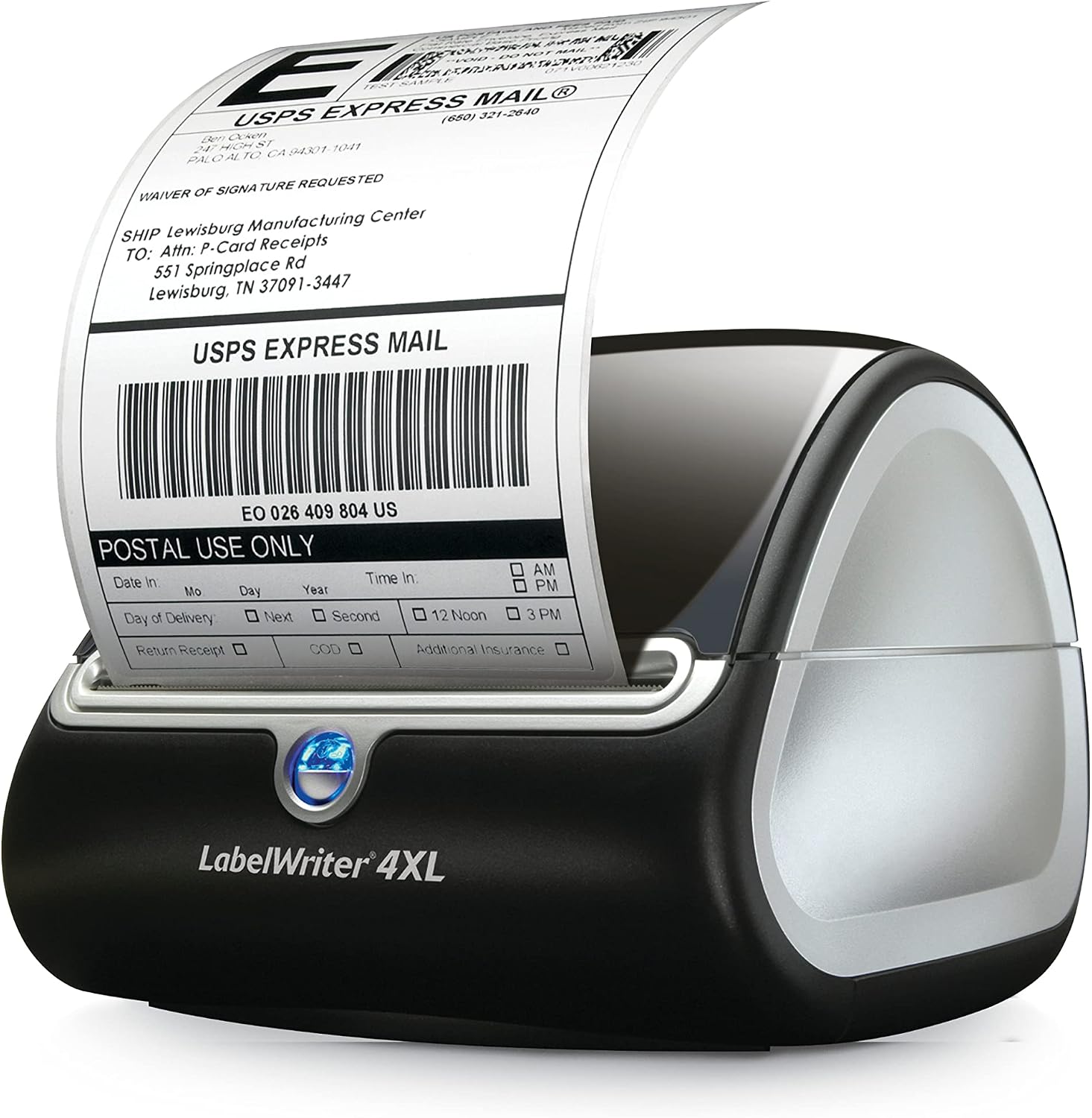
DYMO LabelWriter printers are the office default. The 450 and 550 eat 30252 address labels and a handful of other DYMO rolls. A 4XL or 5XL can take a 4x6 roll (1744907). The software most people meet is DYMO Connect. It is fine for one address at a time. The rolls are often a DYMO size, so a Zebra cannot use them. That lock-in is the real cost, not the printer body.
A Zebra ZD421, ZD420, or similar desktop is built for a packing table. Direct thermal 4x6 rolls and fanfold are sold by a lot of brands, usually on a 1 inch core. You can also drop to a 2x1 barcode without buying a second kind of printer. ZPL is the reason IT departments already own Zebra: the same code can come from an ERP or from this browser. Browser Print is a free helper from Zebra. You install it once.
Side by side
| Feature | mylabelmaker | DYMO |
|---|---|---|
| Best at | Address labels, small barcodes, a quiet office desk. | Daily 4x6 shipping, plus SKUs and bins on the same printer. |
| 4x6 shipping | LabelWriter 4XL and 5XL can do it. Smaller LabelWriters cannot. | ZD420, ZD421, and ZP450-class desktops are the usual pick. |
| Media | DYMO part numbers. Do not put them in a Zebra. | Commodity direct thermal 4x6, if the core and the width match. |
| Software | DYMO Connect, or a browser editor that already knows 30252. | Browser Print plus ZPL, or Print from this computer. |
| Mac | DYMO Connect has a Mac build. Printing still depends on the driver. | Browser Print has a Mac build. Design happens in the browser either way. |
| Where it loses | Expensive labels, and a weak fit for a high-volume pack line. | Noisier and more machine than a home office needs for ten addresses a week. |
How to print on the one you buy
- If you buy DYMO for addresses, order 30252 or the roll number printed on your old labels. Open the matching size from DYMO labels. Print from this computer and leave scaling off.
- If you buy a Zebra for shipping, order a short pack of 4x6 direct thermal first. Calibrate (hold the feed button). Set the media to direct thermal if there is no ribbon.
- Install Browser Print on Windows from Zebra, restart the browser, and print one test from https://app.mylabelmaker.com.
- Do not move a DYMO roll into the Zebra. The gap sensor and the core are different. Buy Zebra-compatible stock.
The models, in plain numbers
A LabelWriter 450 or 550 is an address printer. The roll people mean is 30252, about 1-1/8 by 3-1/2 inches (28 by 89 mm). 99010 is the same idea in millimetres, 28 by 89 mm. 30256 is the larger shipping-ish roll, about 2-5/16 by 4 inches. None of those fit a packing day of carrier 4x6 labels. For 4x6 you need a LabelWriter 4XL or 5XL and DYMO 1744907, a 4 by 6 inch roll. That printer is quiet and fine for a home office that ships a handful of orders. The labels stay on DYMO's price list.
A Zebra ZD421 or ZD420 is the desktop next to it in this comparison. 203 dpi is the usual printhead and it is enough for a shipping barcode. 300 dpi is the step up when the text on a 2x1 product label has to stay sharp. Width at 203 dpi for a 4 inch label is 812 dots. That is the ^PW you will see in a ZPL file. Hold the feed button to calibrate after you change rolls. Set the printer to direct thermal when there is no ribbon, or it feeds blank labels.
On Windows 11, install the maker's driver, open the printing preferences, and set the paper to the exact size. Turn off "fit to page." A scaled barcode is a barcode that will not scan. On a Mac the same rule applies: 100 percent, the right paper size, one test before a stack. Zebra's extra step is Browser Print, installed once from Zebra, then a browser restart so the printer shows up. DYMO does not need that helper. It also cannot take a ZPL file from an old warehouse system.
Buy DYMO when the drawer is already full of 30252 and the job is addresses, file labels, and a few 4x6. Buy the Zebra when 4x6 is every afternoon and you may add a 2x1 barcode next month without buying a second printer. Do not plan to move the leftover DYMO roll across. The core, the gap, and the width will not match, and you will spend the afternoon calibrating a printer that is not broken.
Software, which is the part people forget
The printer is a brick until software sends it a label. DYMO Connect, P-touch Editor, and a Rollo or Munbyn Windows driver all do that for their own box. A Zebra can take ZPL from an ERP, from Browser Print, or from a label you designed in the browser. If you are choosing a printer because of the software quote, price the software too. A free editor does not make a cheap printer into an industrial one, and an expensive printer does not need BarTender for a 4x6 pack face.
Postage is separate. Pirate Ship, Shopify, the carrier, and Vinted give you the postage PDF. You fit that PDF to 4x6. You do not redraw the barcode. Pack stickers, SKUs, and bin labels are the jobs you design here.
Questions
Is a DYMO or a Zebra better for shipping labels?
A Zebra desktop is the better daily 4x6 printer. A DYMO LabelWriter is the better address-label printer. A 4XL can do 4x6 if you already own DYMO stock and the volume stays low.
Can I use DYMO labels in a Zebra?
No. Buy media made for that printer. The widths and the sensor marks do not match.
Do I need DYMO Connect?
Not for labels you design here. Connect is still useful if you want DYMO's own address book. Printing from this computer works on Windows and Mac.
BarTender Labelary Brother vs Zebra Rollo vs Zebra DYMO sizes Zebra sizes
Design it in the label maker.
When to choose a DYMO
Choose a DYMO LabelWriter for 30252 address labels on a desk. Choose a Zebra when the roll is 4 x 6 and you want ZPL. Checked: October 2026.
The address roll on most LabelWriters is DYMO 30252.