Print shelf price labels and retail tags on Zebra printers
You can print shelf price labels on a Zebra from Excel without buying a retail label suite. Open the free label maker, size the tag to your strip stock, drop in name, price, and a barcode, then print the stack. When the spreadsheet changes, you print again. No signup.
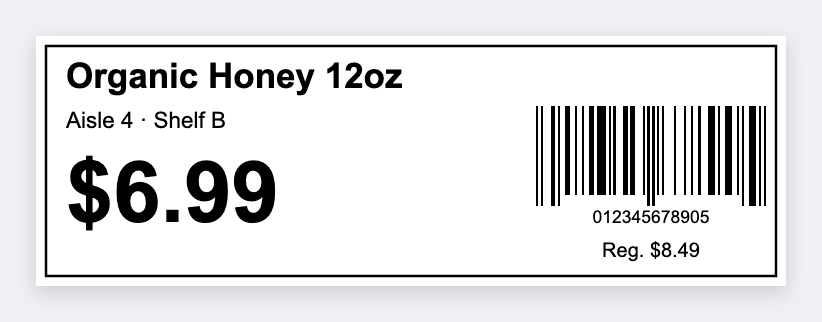
What goes on a shelf price label
- Product name (large enough to read from the aisle)
- Price (the biggest type on the tag)
- SKU or UPC barcode
- Optional: size, color, or a short sale badge
Excel columns for shelf tags
You can print from Excel. Use name, price, sku or upc, and optional size. Export CSV as UTF-8. Full walkthrough: Excel batch.
How to print shelf price labels on a Zebra
- Open https://app.mylabelmaker.com. No signup.
- Set the size to your strip stock. Common ones are 2×1, 2.25×1.25, or 3×2 (sizes chart).
- Add text
{{name}}and a large price${{price}}. - Add a barcode: CODE128 for an internal SKU, or UPC-A for retail. Guide: UPC product labels.
- Load the CSV and print the stack at the printer's native DPI so scanners actually read it.
Start from the built-in shelf tag template, then swap in your columns. Sale week: keep the same design and only change the price column in Excel.
Print shelf price labels on a Zebra
Open the shelf tag template. No signup. Print from Excel.
Open shelf tag template