How to make visitor badges from a sign-in sheet
Open the free label maker: app.mylabelmaker.com. No signup. Design the label, then print to a Zebra or download PNG, PDF, or ZPL.
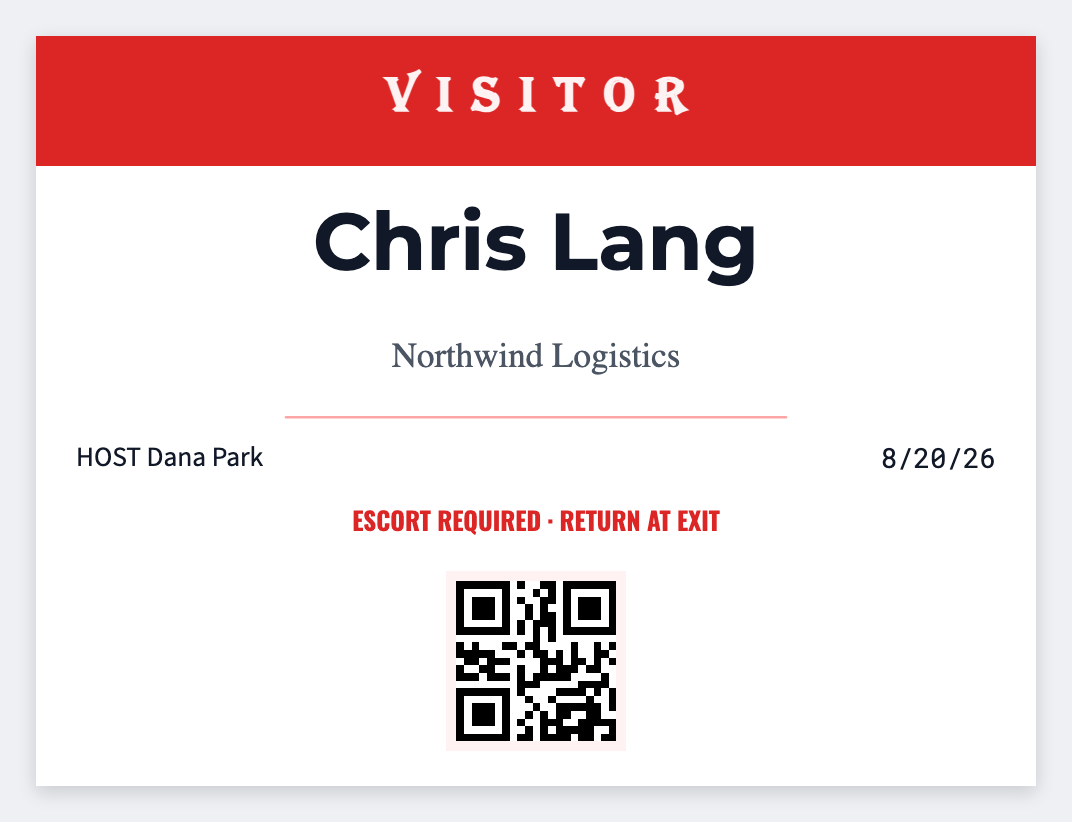
You can make visitor badges from a sign-in sheet in the free label maker. Keep name and host in a sheet, set 3x2, map {{visitor}} and {{host}}, and print quantity 1 at the desk or the morning list.
Good to know: Don't print ID numbers or license plates on a badge a guest wears in the lobby.
How to make visitor badges from a sign-in sheet
- Open the visitor badge template. No signup.
- Use columns for visitor, host, and date.
- Set 3x2. Map {{visitor}} large and {{host}} smaller. Add Visitor as static type.
- Print one row as they sign in, or print the expected list.
Walk-ups
Type one name into the tokens and print quantity 1. Faster than a second Word file at the desk.
Print or save
Got a Zebra? Print with Browser Print at the printer's DPI. No Zebra? Print from this computer, or download PNG, JPG, SVG, PDF, or ZPL. Save JSON if you want to open the layout again later.