Free visitor badge labels
Do this in the free app: app.mylabelmaker.com. No signup. Design the label, then print on a Zebra or download PNG / PDF / ZPL.
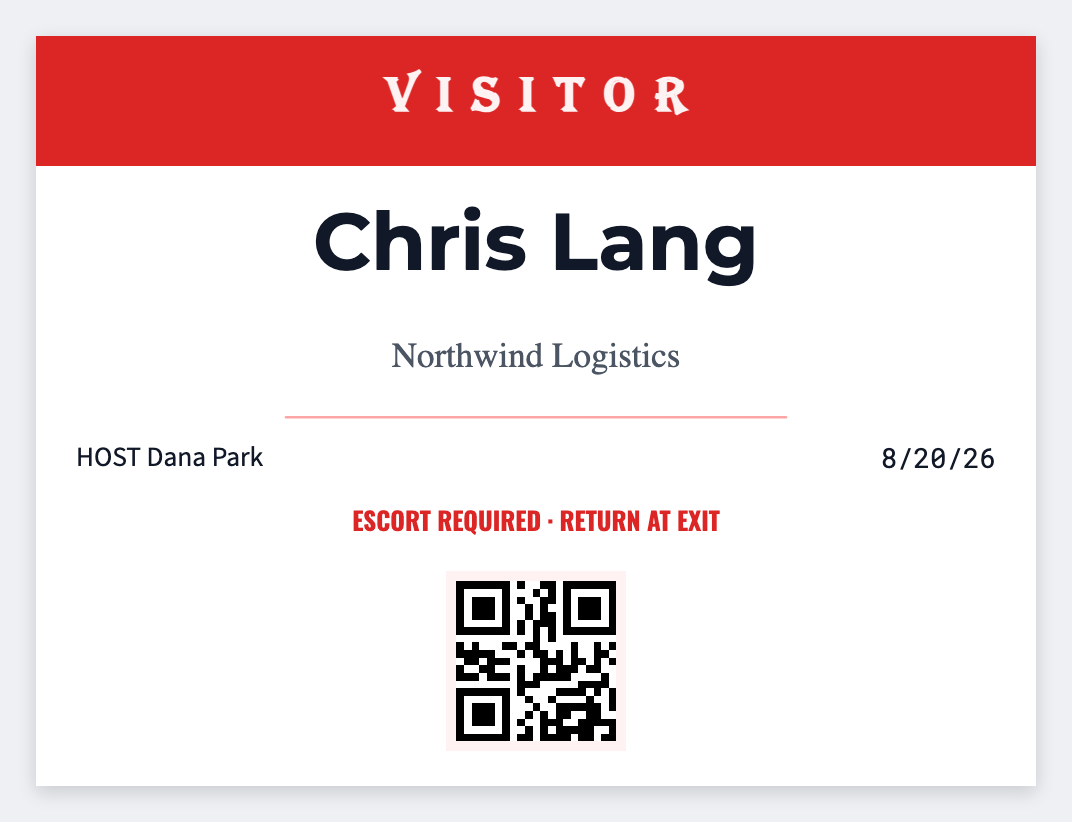
Yes. You can make visitor badge labels for free. Open the free label maker, type the guest's name and who they're seeing, and print a sticker before they walk the floor. If the lobby list is already in Excel, map the columns and print the stack. No signup.
How to make visitor badge labels
- Open https://app.mylabelmaker.com. No signup.
- Open the visitor badge template, or set the size of the badge stock you actually have.
- Put the visitor name large. Add host, company, and a date. TEMP styling if you want it obvious from across the lobby.
- Print on a Zebra, download PNG or PDF, or load Excel for the whole day's list.
What to put on a visitor badge
- Visitor name
- Host / company
- Date / valid until
- TEMP badge styling
Print visitor badges from Excel
Put each visitor on their own row: name, host, company, date. Map those columns into text. Preview one badge, then print the stack. Guide: mail merge labels.
Print or save
If you have a Zebra, print from the browser with Browser Print at the printer's DPI. Everyone else: download PNG, JPEG, SVG, PDF, or ZPL. Save JSON if you want the editable master later.
Print today's visitor badges
One sticker at the desk, or a whole lobby list from Excel. No account.
Open visitor badge template