How to make ingredient labels online
Do this in the free label maker: app.mylabelmaker.com. No signup. Design the label, then print to a Zebra or download PNG, PDF, or ZPL.
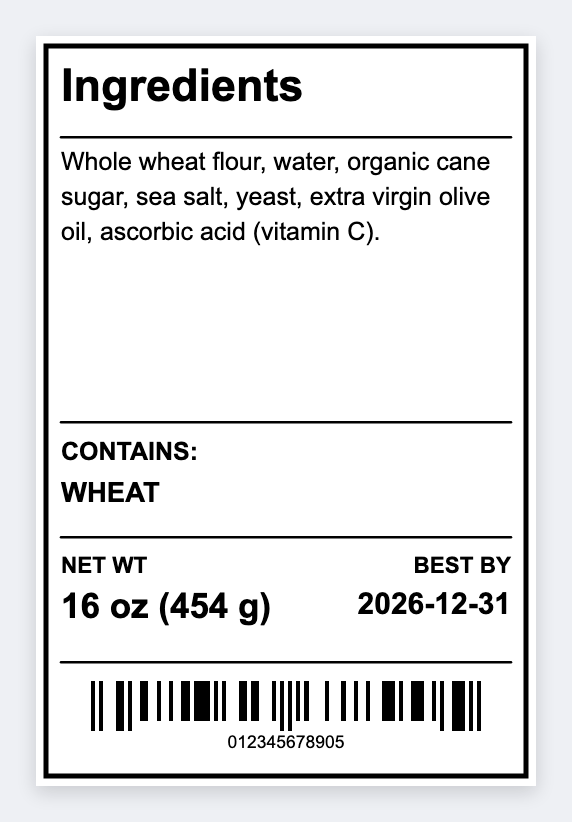
You can make ingredient labels online in the free label maker. Set the sticker, add the product name and a wrapped {{ingredients}} block. Load a sheet if you have more than one recipe. No signup. Long lists need enough height.
Good to know: Long INCI or bakery lists need enough height. If type hits the edge, go up a size. We don't auto-fit a legal panel onto 1x1 stock.
How to make ingredient labels online
- Open https://app.mylabelmaker.com. No signup. Set a size that can hold the list (often 2x3).
- Add product name. Add {{ingredients}} as text so it can wrap.
- Load the sheet if you have many SKUs.
- Preview the longest list. Print or export PDF.
Keep the list readable
All caps at 5 pt will not scan as care. Use a size you can read at arm's length. If it doesn't fit, the sticker is too small, not the font's fault.
Print or save
If you have a Zebra, print from this computer with Browser Print at the printer's DPI. If you don't, download PNG, JPEG, SVG, PDF, or ZPL. JSON keeps the layout so you can open it later.