How to make food labels for homemade products
Do this in the free label maker: app.mylabelmaker.com. No signup. Design the label, then print to a Zebra or download PNG, PDF, or ZPL.
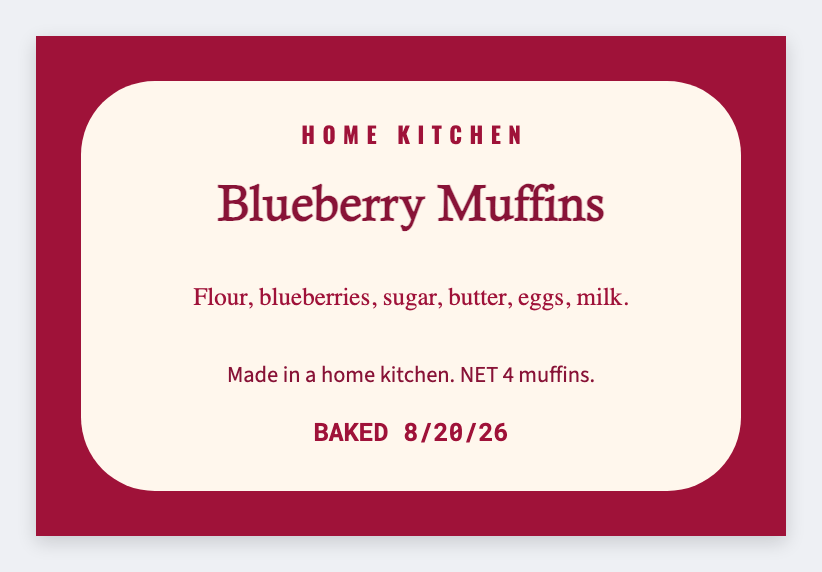
You can make food labels for homemade products in the free label maker. Set the bag or tin size, add name, ingredients, and net weight. If you sell more than one SKU, load a sheet and print the week. No signup. Selling food is regulated. We design stickers.
Good to know: Selling food is regulated. We design stickers. We don't issue nutrition facts panels or USDA marks.
How to make food labels for homemade products
- Open https://app.mylabelmaker.com. No signup. Pick the sticker size that fits the pack.
- Add product name, ingredients, net weight, and your kitchen name.
- For many SKUs, map columns from Excel or Google Sheets.
- Print a test on the real bag. Then print the batch.
What this is not
This is not a nutrition-facts generator and not a cottage-food lawyer. If you need a full FDA panel, use a specialist tool, then place that image here if you want it on the same sticker.
Print or save
If you have a Zebra, print from this computer with Browser Print at the printer's DPI. If you don't, download PNG, JPEG, SVG, PDF, or ZPL. JSON keeps the layout so you can open it later.