How to make bakery ingredient labels
Do this in the free label maker: app.mylabelmaker.com. No signup. Design the label, then print to a Zebra or download PNG, PDF, or ZPL.
Open bakery ingredient template
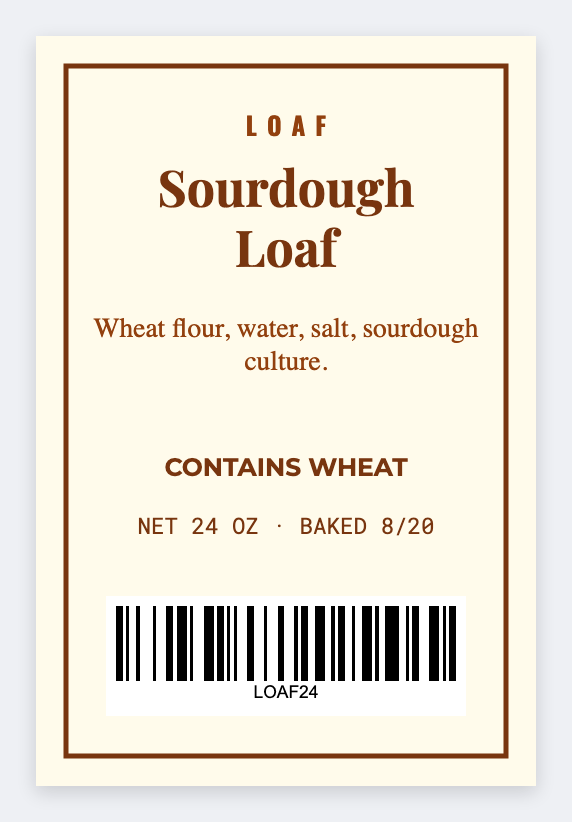
You can make bakery ingredient labels without rebuilding Canva for every SKU. Open the free label maker, load a recipe list, map {{product}} and {{ingredients}}, then print. No signup. You own allergen and cottage-food wording.
Good to know: Ingredient order, allergens, and any "made in a home kitchen" line are your compliance. We don't write a legal label for you.
How to make bakery ingredient labels
- Open https://app.mylabelmaker.com. No signup.
- Set 2x3 or 3x2, which fits most bakery bags.
- Load a sheet with product, ingredients, and maybe allergen and packed-on date. Map {{product}} large and {{ingredients}} as wrapped text.
- Preview two recipes. Print the set for this bake day.
When Canva gets in the way
Canva is fine for one pretty cake box. A sheet of 18 cookie SKUs is a merge job. Keep the pretty logo as an image. Let the ingredient line come from the row.
Print or save
If you have a Zebra, print from this computer with Browser Print at the printer's DPI. If you don't, download PNG, JPEG, SVG, PDF, or ZPL. JSON keeps the layout so you can open it later.