Make cottage bakery labels without Canva
Do this in the free app: app.mylabelmaker.com. No signup. Design the label, then print on a Zebra or download PNG / PDF / ZPL.
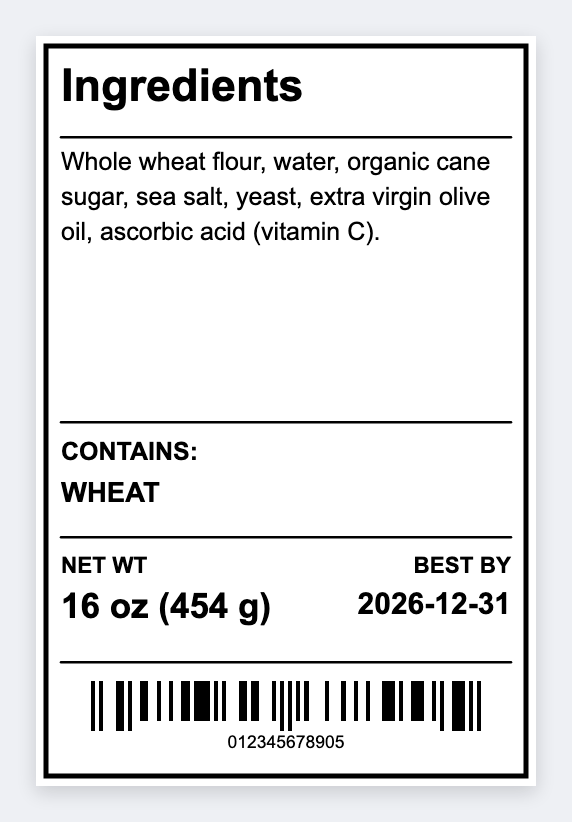
Yes. You can make cottage bakery labels without Canva. If the file looks fine on a phone and prints wrong on sticker paper, set the real size in the free label maker, drop in ingredients from a sheet, and print a test on the bag.
Good to know: You can still draw a logo in Canva and upload the PNG here. Use this app for size, batch, and type that has to stay readable.
How to make bakery labels without fighting Canva
- Open https://app.mylabelmaker.com. No signup.
- Set the exact sticker size (not Letter). Upload a logo PNG if you have one.
- Add {{product}} and {{ingredients}}. Load the recipe sheet. Preview two SKUs.
- Print one on the real bag. Then print the day.
Why bakers leave Canva for this job
Canva thinks in pretty pages. A sticker printer thinks in one label. Mapping a recipe row onto a 2x3 face is the shorter path for Monday's bake. You can still draw a logo in Canva and upload the PNG here.
Print or save
If you're printing to a Zebra, use Browser Print and match the printer's DPI. Otherwise download PNG, JPEG, SVG, PDF, or ZPL. JSON is the file you can open again later.
Skip the Letter-size file
Real sticker sizes. A sheet of recipes. Print a test on the bag.
Open ingredients label template