Print Event Name Badges from Excel
Yes. You can print event name badges from Excel without buying conference software. Open the name badge template, put the first name in large type, load the guest list, and print the stack. Works for meetups, classrooms, open houses, and small conferences.
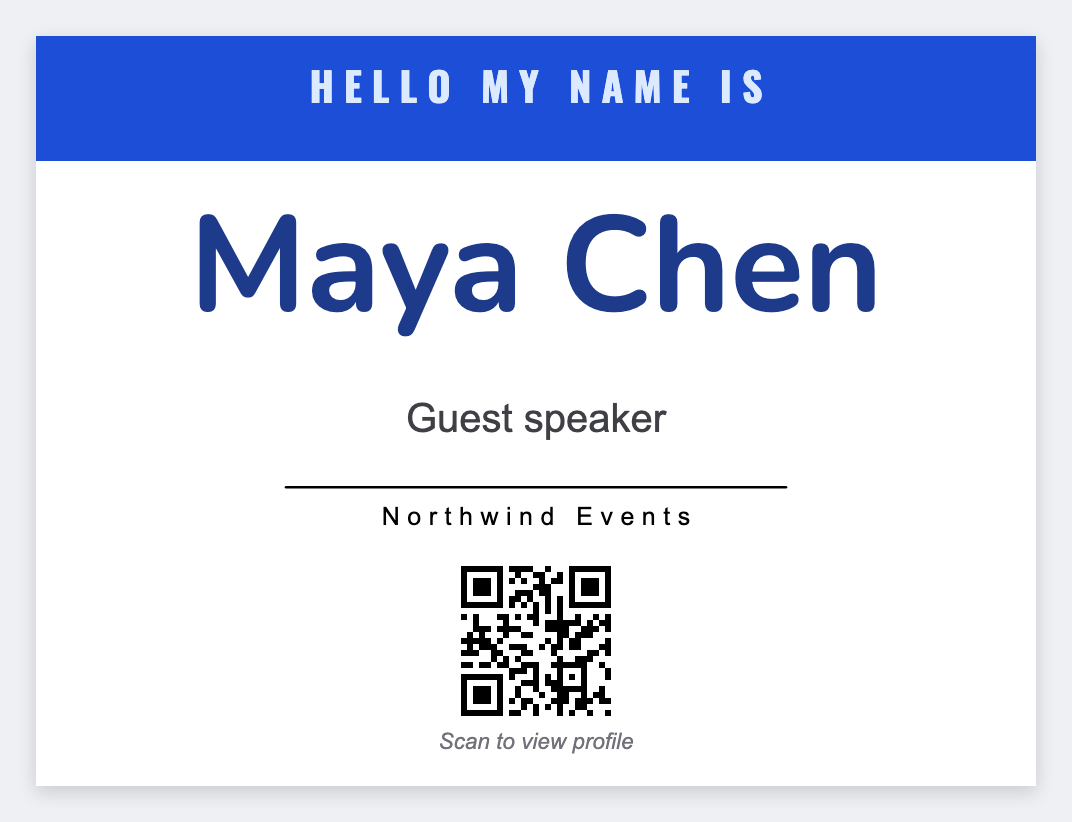
What a good event name badge needs
- Large first name readable at handshake distance
- Company / role in smaller type
- Optional logo for the host organization
- Optional QR for check-in, agenda, or digital business card
- Batch from a registration export (not one-by-one typing)
You don't need glossy plastic for every event. Thermal stickers in a badge holder, or a PDF on sheet stock, cover most small rooms.
Badge sizes that actually fit a holder
- 4×3 or 4×2, common thermal badge / shipping-adjacent sizes
- 3×2, compact name tags for smaller holders
- 2×1, too small for full names; better for tickets or sequential numbers
Set the exact width and height in inches so the name doesn't clip in the holder.
How to print event name badges from Excel
- Open the name badge template. No signup.
- Export registration as CSV with
first_name,last_name,company,role, and optionalcheckin_url. - Put
{{first_name}}in large type. Put{{company}}under it. Add a QR with{{checkin_url}}if you check people in that way. - Load the CSV. Preview two names. Print the day's arrivals.
It's the same mail-merge as warehouse SKUs. Guide: batch print labels.
Printing at the door
- Pre-print most badges the night before; leave a blank design for walk-ups.
- Keep a spare roll of stock and a second browser tab with the design loaded.
- If you print thermal, use a Zebra with Browser Print for a reliable stack. Setup: Browser Print setup.
- If you only have an office laser, download a PDF and print on sheet badge stock.
Name badges vs Avery vs Canva
Avery is great if you already bought their sheets. Canva is great if you want a pretty one-off. If you need a unique QR per guest, thermal volume, and free seats for volunteers, design here. Exact sizes in inches, then print on a Zebra or download a PDF.
Print the badge stack
Guest list in. First name large. Tags at the door. No signup.
Open name badge template