Print warehouse bin labels from a spreadsheet
Open the free label maker: https://app.mylabelmaker.com. No signup. Design the label, then print to a Zebra or download PNG, PDF, or ZPL.
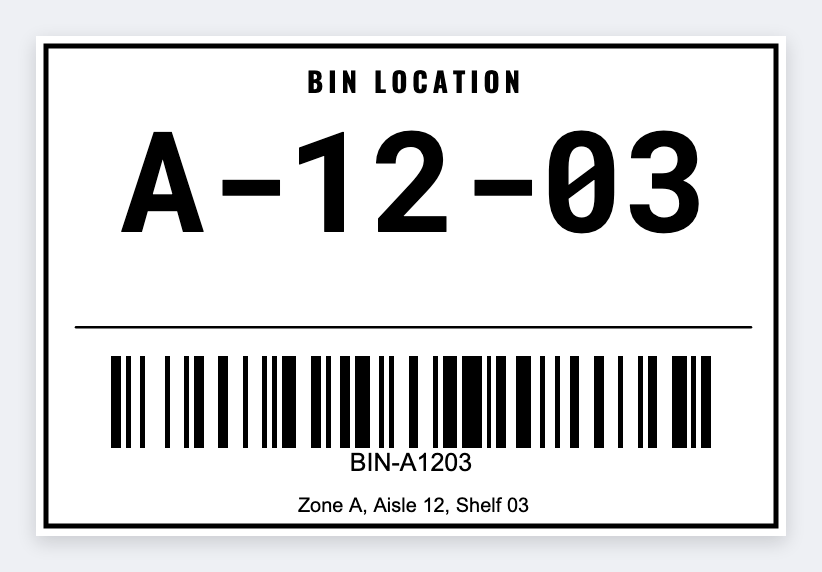
You can print bin labels from a spreadsheet. Open the free label maker, put aisle-rack-bin in large type, barcode the full code, and merge the file. Don't typeset 400 bins by hand in ZebraDesigner. No signup.
Good to know: Location schemes (and any WMS check-digit rules) are yours. We print the strings you map.
How to print bin labels from a spreadsheet
- Open https://app.mylabelmaker.com. No signup. Set the size of your stock.
- Put {{aisle}}-{{rack}}-{{bin}} as the hero type. Add a native barcode of the full code, not an Excel font.
- Preview row 1 and a row near the end of the sheet.
- Print the stack on a Zebra, or download PDF or ZPL.
Reprint one bay
When a rack is renamed, filter the sheet to those rows and print only that range. Location schemes (and any WMS check-digit rules) are yours. We print the strings you map.
Print or save
Got a Zebra? Print with Browser Print at the printer's DPI. Everyone else: print from this computer, or download PNG, JPG, SVG, PDF, or ZPL. Save JSON if you want the editable master back later.
Print from your spreadsheet
Map a column, preview a row, then print. No signup.
Open bin location tag template