How to make WiFi QR labels for guests
Open the free label maker: app.mylabelmaker.com. No signup. Design the label, then print to a Zebra or download PNG, PDF, or ZPL.
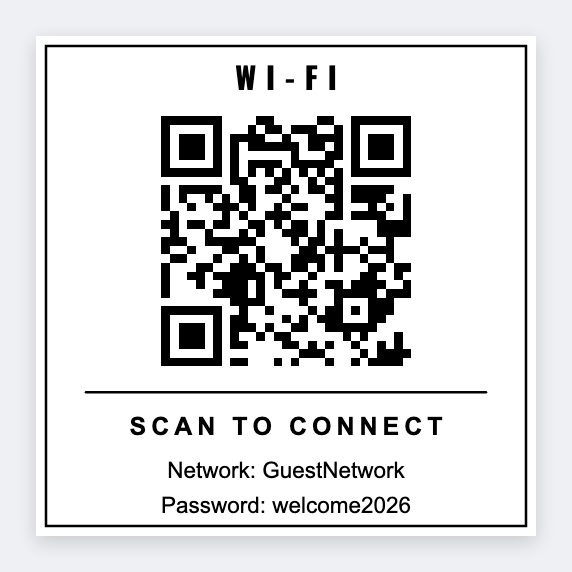
You can make WiFi QR labels for guests in the free label maker. Build or copy the WiFi join string (or a guest-portal URL), paste it into a QR, add Guest WiFi, and print a 2x2 sticker.
Good to know: We only encode the text or URL you paste. We don't read your router. Don't print the admin password on the same sticker.
How to make WiFi QR labels for guests
- Open the WiFi QR template. No signup.
- Copy the guest WiFi QR payload or a short join URL you already use.
- Set 2x2 or 3x2. Add a QR with that string and a short Guest WiFi line.
- Print one test. Scan it on a phone that is not already on the network.
Airbnb and offices
Same steps. Hosts often add the network name in plain type under the QR so a guest who can't scan can still type it.
Print or save
Got a Zebra? Print with Browser Print at the printer's DPI. No Zebra? Print from this computer, or download PNG, JPG, SVG, PDF, or ZPL. Save JSON if you want to open the layout again later.
Print the guest sticker
Paste the string. Scan a test on a phone that's offline.
Open WiFi QR template