How to make food truck labels for the window and packs
Do this in the free label maker: app.mylabelmaker.com. No signup. Design the label, then print to a Zebra or download PNG, PDF, or ZPL.
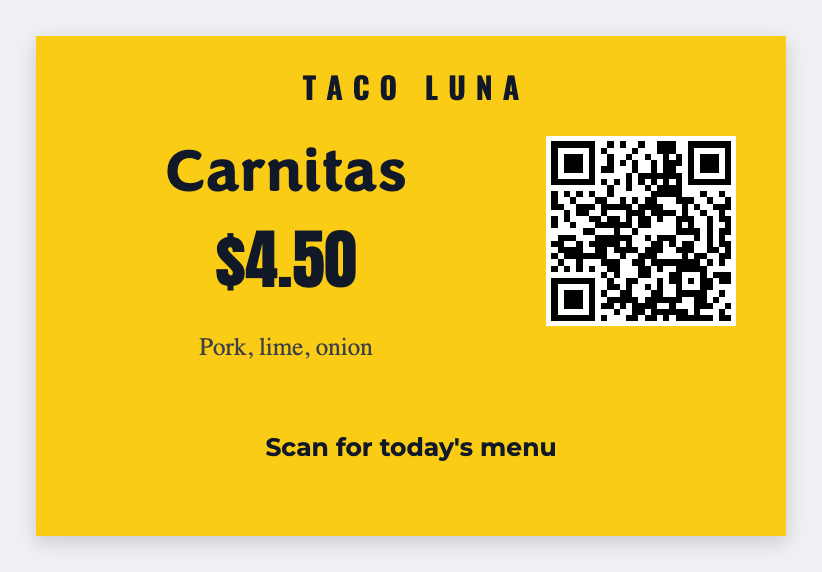
You can make food truck labels in the free label maker for three jobs. A menu QR for the window, allergen seals from a sheet, and prep-date dots for the line. No signup. We encode the URL you paste and print the words you type.
Good to know: Menu prices and allergen wording are yours. We encode the URL you paste and print the words you type.
How to make food truck labels
- Open https://app.mylabelmaker.com. No signup. Set 3x2 for a window QR.
- Paste the live menu URL into a QR. Print one. Scan it on cellular.
- For allergens and dates, load a sheet and map {{item}} plus the line you need.
- Print seals and 2x1 date dots for the shift.
Three sizes, one app
- Window QR: 3x2
- Allergen seal: 2x2
- Prep date: 2x1
Print or save
If you have a Zebra, print from this computer with Browser Print at the printer's DPI. If you don't, download PNG, JPEG, SVG, PDF, or ZPL. JSON keeps the layout so you can open it later.