Free food truck labels
Do this in the free app: app.mylabelmaker.com. No signup. Design the label, then print on a Zebra or download PNG / PDF / ZPL.
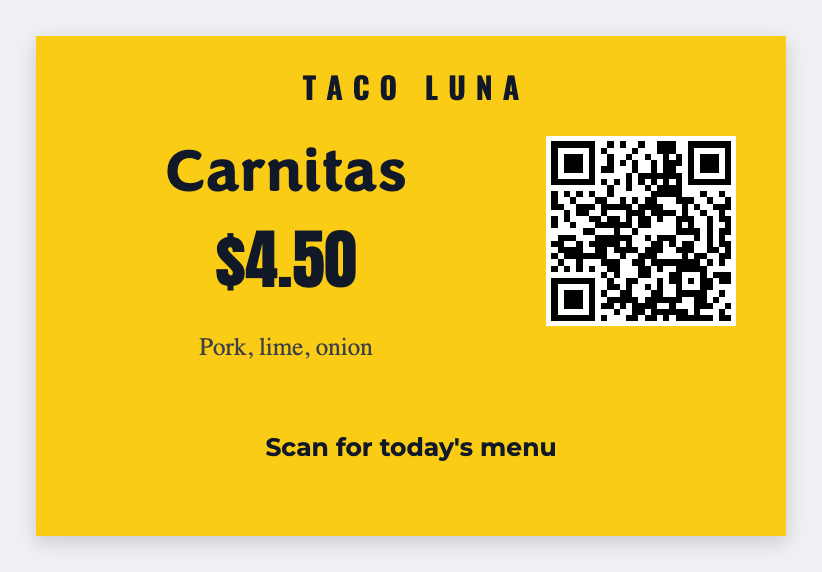
Yes. You can make free food truck labels for prep dates, menu items, and truck IDs. Open the template, type today's use-by, then print. If you have a prep sheet, load Excel.
Good to know: Health-code and food labeling rules are yours.
How to make free food truck labels
- Open the food truck template. No signup.
- Set the size to the prep sticker or menu face you actually stick.
- Type the item and the use-by date. Add an allergen line if you already print one.
- Print on a Zebra, or download PNG or PDF. Load Excel if you have a prep sheet.
What to put on a food truck label
Prep date first. Item name second. Keep allergen callouts in the words you already use.
- Prep / use-by date tokens
- Menu item stickers
- Truck / station IDs
- Allergen callout space
Print a prep sheet from Excel or Google Sheets
Put each item on its own row: name, made, use-by. Map those columns onto the sticker. Preview two rows, then print the stack. Guide: mail merge labels.
Print or save
If you have a Zebra, print from the browser with Browser Print at the printer's DPI. Everyone else: download PNG, JPEG, SVG, PDF, or ZPL. JSON keeps the editable master so you can come back to it.