Print FileMaker labels on a Zebra printer
Do this in the free app: app.mylabelmaker.com. No signup. Design the label, then print on a Zebra or download PNG / PDF / ZPL.
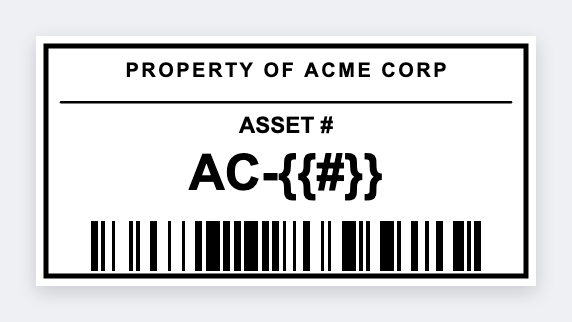
Yes. You can print FileMaker labels on a Zebra without a paid plugin. Export the found set to CSV, open the free label maker, map the fields, and print. FileMaker keeps the database. We don't talk to FileMaker from the browser.
Good to know: We do not connect to FileMaker Server. Export CSV (or tab). Do not put passwords or license keys on a visible tag.
How to print FileMaker labels on a Zebra
- Open https://app.mylabelmaker.com. No signup.
- In FileMaker, export the found set to CSV with the fields that belong on the label.
- Set the size to your stock. Add text or a barcode and map {{asset}}, {{sku}}, or whatever you exported.
- Preview one record. Print the stack on a Zebra, or export ZPL back into your own script.
When a plugin is still the right tool
If you need a button inside FileMaker that fires 400 labels with no export step, keep your plugin. This path is for teams who just need the found set on thermal stock today.
Print or save
If you have a Zebra, print from the browser with Browser Print at the printer's DPI. Everyone else: download PNG, JPEG, SVG, PDF, or ZPL. JSON keeps the editable master so you can come back to it.