Free water bottle labels
Do this in the free app: app.mylabelmaker.com. No signup. Design the label, then print on a Zebra or download PNG / PDF / ZPL.
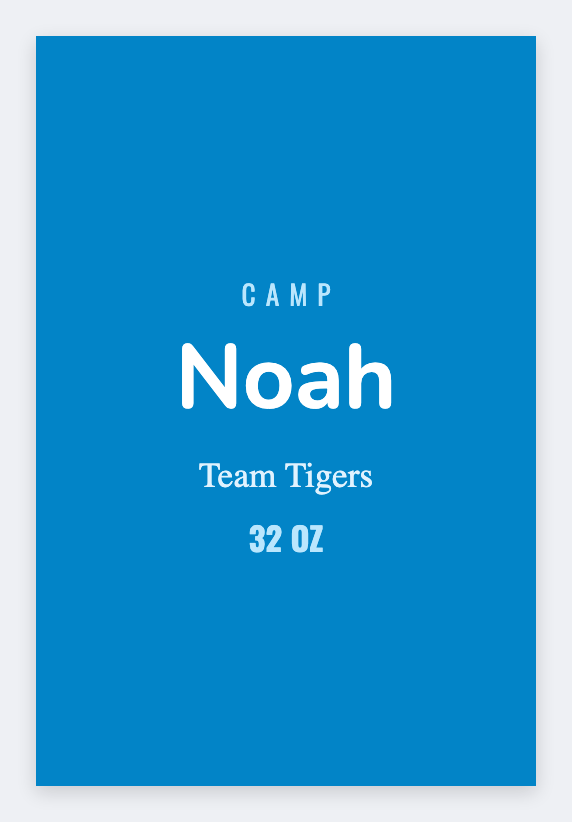
Yes. You can make water bottle labels for free. Open the free label maker, set the wrap width you measured, put the name huge, and print. Bottles get tossed in ice, so keep the type large. If you have a roster in Excel, print the whole team. No signup.
Good to know: We do not sell waterproof vinyl. Export PNG and print on the stock you buy, or use thermal for indoor names.
How to make water bottle labels
- Open https://app.mylabelmaker.com. No signup.
- Measure the wrap. Set that custom size. Don't guess.
- Put the name in the largest type that fits. Add team, event, or date under it.
- Print one test on a real bottle. Then load the roster and print the rest.
What to put on a water bottle label
- Name in the largest type that fits
- Team / event / date line
- Wrap width from a tape measure, not a guess
- Roster merge for a whole team
Weddings, races, and team bottles
Wedding and race bottles often want a logo plus a name. Duplicate the master, swap the token, export PDF for a print shop if you need color vinyl.
Print water bottle labels from Excel
One name per row. Map the name column into the big text. Preview one bottle, then print the team. Guide: mail merge labels.
Print or save
If you have a Zebra, print from the browser with Browser Print at the printer's DPI. Everyone else: download PNG, JPEG, SVG, PDF, or ZPL. Save JSON if you want the editable master later.