Free use-by labels
Do this in the free app: app.mylabelmaker.com. No signup. Design the label, then print on a Zebra or download PNG / PDF / ZPL.
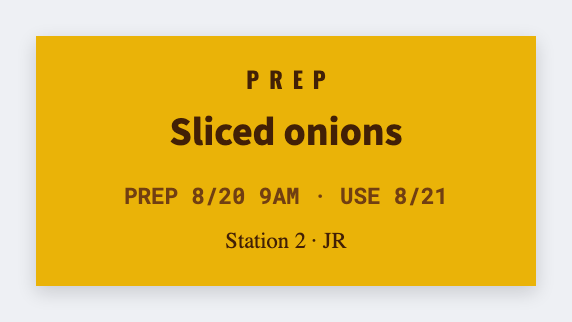
You can make free use-by labels in the free label maker. Add a today or use-by date, a lot line, and a barcode if you scan, then print from this computer or a Zebra. Batch from Excel if dates differ. We don't mail stickers.
Good to know: Regulated dating (pharma, etc.) is your process. This is a free design tool.
How to make free use-by labels
- Open https://app.mylabelmaker.com/?template=prep-date. No signup.
- Set the sticker to the lid or pack size you actually have.
- Add a use-by date, a lot line, and a barcode if you scan.
- Print from this computer, send to a Zebra, or download PNG / PDF. Optional: load Excel for every lot.
What to put on the label
- Use-by / best-by tokens
- Lot and SKU lines
- Barcode for scan systems
- Color via text badges
Print a whole list from Excel
Got a lot sheet? Put each SKU and date in its own row. Map the columns onto the sticker, preview one, then print the stack. Guide: mail merge labels.
Print or save
Got a Zebra? Print with Browser Print at the printer's DPI. Everyone else: print from this computer, or download PNG, JPG, SVG, PDF, or ZPL. JSON keeps the editable master.
Print free use-by labels
Open the template. Add the date. Print from this computer.
Open prep date template