Free warehouse receiving labels
Do this in the free app: app.mylabelmaker.com. No signup. Design the label, then print on a Zebra or download PNG / PDF / ZPL.
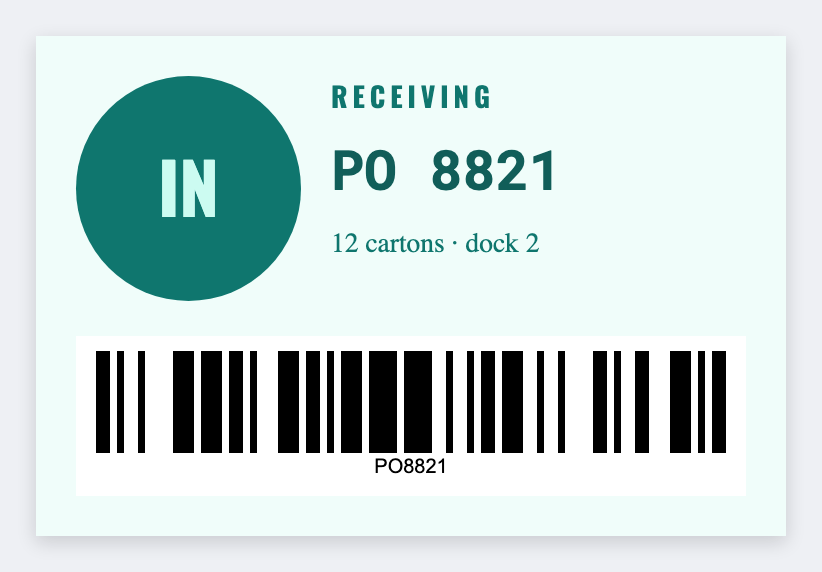
Receiving docks need PO and ASN stickers that hit the tote before putaway. Design them free in the free label maker and batch from the inbound sheet. No signup.
Good to know: If your 3PL mandates an official PDF, print that as issued. This is for layouts you control.
How to make warehouse receiving labels
- Open https://app.mylabelmaker.com. No signup.
- Set 4x6 or 3x2, whatever the dock uses.
- Map PO, ASN, vendor, dock door, date, LPN or tote barcode.
- Preview two receipts, then print.
What to put on the label
- PO / ASN / vendor tokens
- Dock door and date
- LPN or tote barcode
- 4x6 or 3x2 receiving size
Print a whole list from Excel or Google Sheets
One inbound shipment per row. Map PO and tote, preview, print the stack. Guide: mail merge labels.
Print from this computer, or save a file
On a Zebra, print with Browser Print at the printer's DPI. Everyone else: download PNG, JPEG, SVG, PDF, or ZPL. JSON keeps the editable master.