Free pharmacy labels online
Open the free label maker: https://app.mylabelmaker.com. No signup. Design the bottle face, then print to a Zebra or download PNG, PDF, or ZPL.
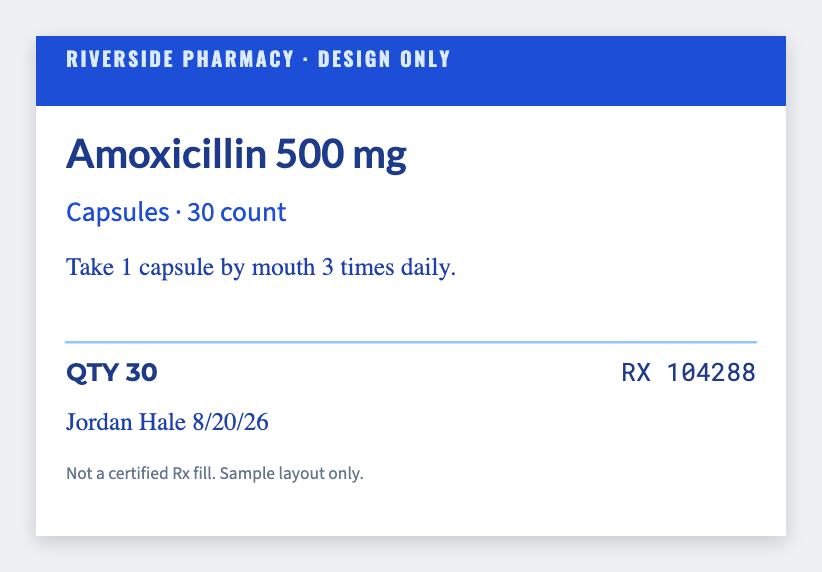
You can design pharmacy labels for free. Open the pharmacy vial template, put the name and directions on the bottle, and print. This is a design tool, not a certified pharmacy system. No signup.
How to print pharmacy labels in the free label maker
- Open https://app.mylabelmaker.com/?template=pharmacy-bottle. No signup.
- Set the size to the vial or bag sticker you actually use.
- Add the name, directions, and a barcode if you scan one. Load a list if you have many bottles.
- Print from this computer, or download PNG or PDF.
Good to know: You own regulatory compliance. Do not use this as a substitute for validated pharmacy software.
What to put on a pharmacy label
- Bottle face with the name you supply
- Auxiliary warning stickers
- Bag QR to a counseling sheet you already host
- Inventory bin tags for stock
Start in the free app. Industry hub: industries.
Print a list from Excel
Export CSV from your POS, LIMS, PMS, or spreadsheet. Map the columns, preview a bottle, then print the stack. Guide: mail merge labels free.