How to make jar labels at home
Do this in the free label maker: app.mylabelmaker.com. No signup. Design the label, then print to a Zebra or download PNG, PDF, or ZPL.
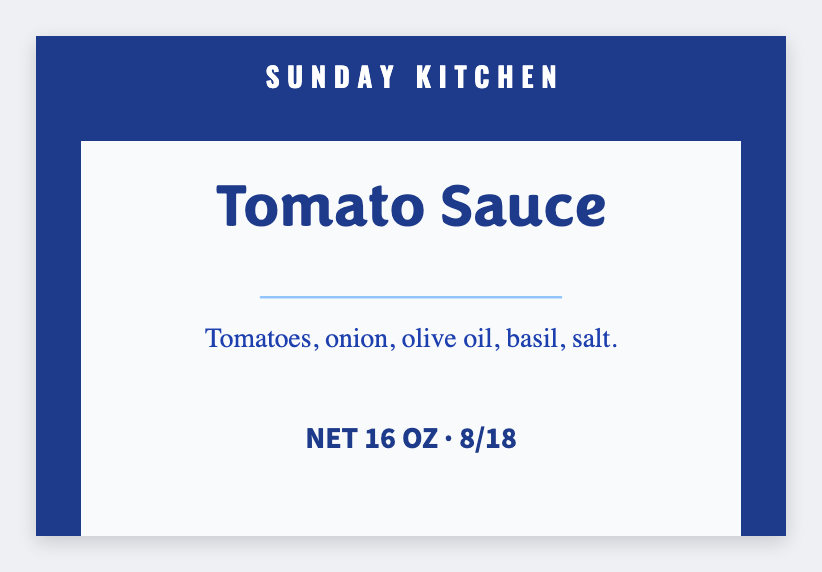
You can make jar labels at home in the free label maker. Measure the jar face, set that size, add the name and a short ingredient line, print a test on real sticker stock, then print the whole batch. No signup. Design a little narrower than the wrap so it lies flat.
Good to know: Round jars wrap. Design a little narrower than the flat you measured. We don't wrap-preview a cylinder.
How to make jar labels at home
- Open https://app.mylabelmaker.com. No signup.
- Measure the flat area on the jar (not all the way around) and set that custom size.
- Add product name, net weight, ingredients. Load a sheet if you have many flavors.
- Print one test. Stick it. Then print the rest.
Jam, pickles, sauce
Same steps. Change the name and the ingredient line. Save JSON per product family so next season you only edit the date or the flavor list.
Print or save
If you have a Zebra, print from this computer with Browser Print at the printer's DPI. If you don't, download PNG, JPEG, SVG, PDF, or ZPL. JSON keeps the layout so you can open it later.