How to make price tags for a small shop
Open the free label maker: app.mylabelmaker.com. No signup. Design the label, then print to a Zebra or download PNG, PDF, or ZPL.
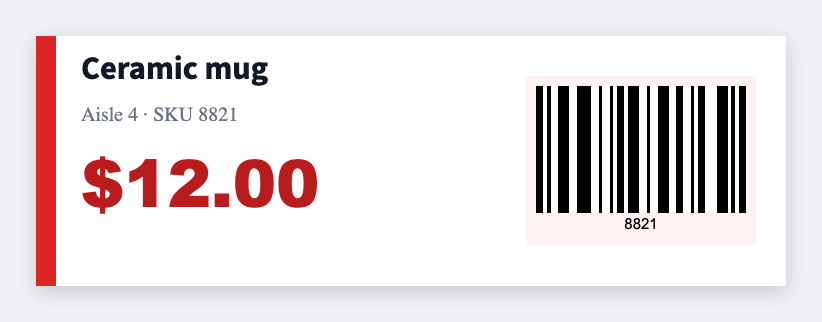
You can make price tags for a small shop in the free label maker. Put item and price in a sheet, map {{name}} and {{price}}, and print 2x1 stickers or 2x3 hang tags. No Word table of 30 cells.
Good to know: We don't connect to your register. Export the item list. Change a price on the sheet, reprint that row.
How to make price tags for a small shop
- Open the price tag template. No signup.
- Export items: name, price, optional SKU or size.
- Set 2x1 for a shelf seal, or 2x3 for a hang tag. Map {{name}}, {{price}}, optional {{sku}} as a barcode.
- Preview two items. Print the set. Reprint one row when a price changes.
Shopkeepers usually keep two sizes
- 2x1 on the shelf edge
- A larger hang tag on apparel or gifts
Same sheet. Two saved JSON files.
Print or save
Got a Zebra? Print with Browser Print at the printer's DPI. No Zebra? Print from this computer, or download PNG, JPG, SVG, PDF, or ZPL. Save JSON if you want to open the layout again later.
Print this week's prices
Name and price from the list. Reprint one row when a price changes.
Open price tag template