Craft beer neck label template
Do this in the free app: app.mylabelmaker.com. No signup. Design the label, then print on a Zebra or download PNG / PDF / ZPL.
Yes. A craft beer neck label template is a tall printable collar for a bottle neck, not a full body wrap. Open the craft beer neck template, type the beer name, and print from this computer. We do not mail stickers. TTB wording stays yours.
Good to know: This is a neck collar you print at home. It is not a vinyl cutter path and not a full can wrap. We do not mail stickers. TTB wording is yours.
How to print a craft beer neck label template
- Open the craft beer neck label template. No signup.
- Type the beer name and a short style line.
- Print from This computer onto sticker paper, or download PDF at actual size.
- Wrap the collar around the neck. Test one bottle first.
The sticker is a tall 2 by 3 inch navy collar. Gold bands, a hop diamond, and the beer name in the middle.
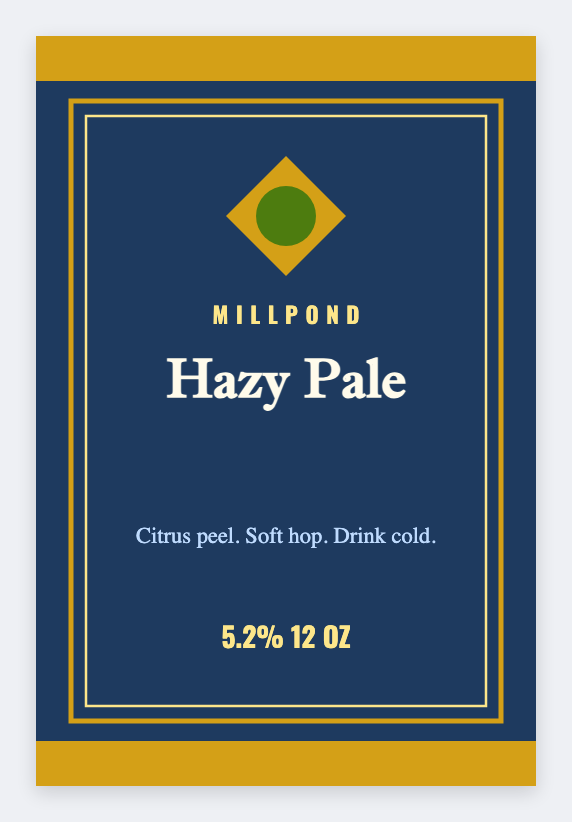
Measure the neck before you print a stack. 2 by 3 inches is a starting size. Wrap one bottle first. We do not mail stickers.
Print or save
If you're printing to a Zebra, use Browser Print and match the printer's DPI. Otherwise download PNG, JPEG, SVG, PDF, or ZPL. JSON is the file you can open again later.